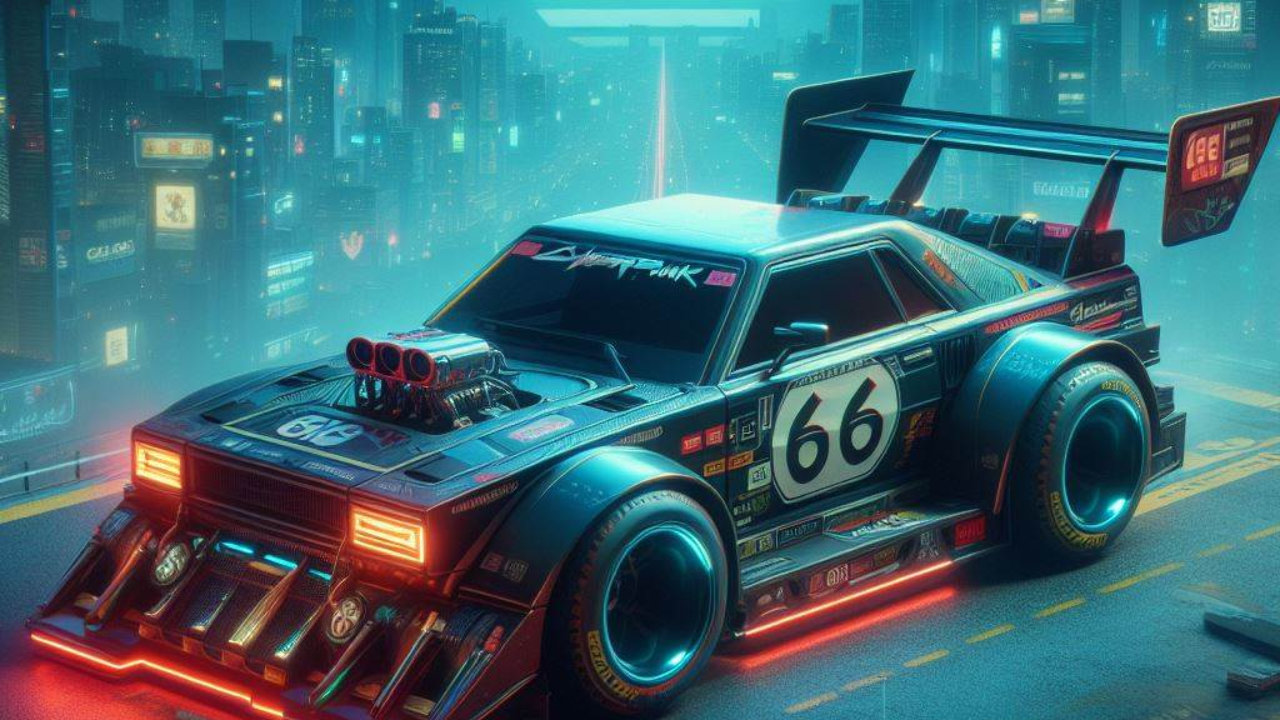
Unlocking the Type-66 Hoon in Cyberpunk 2077
Cyberpunk 2077, the popular action role-playing game by CD Projekt Red, has seen a significant update with its 2.0 version and the Phantom Liberty expansion. These updates brought numerous enhancements, including a new skill system, a raised level cap, and the much-anticipated vehicle combat feature. Among these new additions, the inclusion of new weapons and vehicles has garnered significant attention, particularly the Type-66 Hoon. This car, a tribute to the late professional rally driver Ken Block, stands out for its speed, endurance, and integrated weapons system.

Locating the Type-66 Hoon in Night City

Players interested in acquiring this unique vehicle can do so without any pre-requisite requirements. The Type-66 Hoon can be found in Night City by following these straightforward steps:

- Navigate North of Watson: Begin your quest by heading to the northern part of the Watson district.

- Search for Warehouses near the Badlands: Look for an area with warehouses situated near the Badlands.

- Identify the Second Warehouse: Among these warehouses, focus on locating the second one.

- Initiate the Quest: Upon approaching the Type-66 Hoon, Johnny Silverhand will comment, triggering the “I’m in Love with My Car” quest.

- Find the Car Keys: Scour the warehouse to find the keys to the Type-66 Hoon.

- Search the Trash Pile: Specifically, check the trash pile on the left side of the car to discover the keys.

- Acquire the Car: Once you have the keys, you can access the car and add it to your collection of owned vehicles.

Features of the Type-66 Hoon

The Type-66 Hoon is more than just a mode of transportation; it is a high-performance vehicle with exceptional stats in acceleration and speed. Additionally, it is equipped with front-mounted machine guns, enabling players to deal significant damage to enemies. This combination of speed and firepower makes the Type-66 Hoon a valuable asset in the game.

Utilizing the Type-66 Hoon’s Weaponry

To make the most of the Type-66 Hoon’s capabilities, players need to know how to activate and use its weapons:

- On PC: Press the Alt key to activate the guns and the left mouse button to fire.

- On PlayStation: Press the Triangle button to activate the guns and R1 to fire.

- On Xbox: Press the Y button to activate the guns and RB to fire.

Conclusion and Final Thoughts

The inclusion of the Type-66 Hoon in Cyberpunk 2077 serves as a fitting tribute to Ken Block, honoring his legacy in a unique and interactive way. For fans of Block and enthusiasts of high-octane in-game vehicles, acquiring and mastering the Type-66 Hoon provides an exciting and rewarding experience. CD Projekt Red’s dedication to continually enhancing the game with such thoughtful additions is commendable and ensures that Cyberpunk 2077 remains a dynamic and engaging world for players to explore.

Also Read:
https://news.thebadgamer.in/news/unlocking-the-type-66-hoon-in-cyberpunk-2077/

Comments

Popular posts from this blog

After nearly a decade of silence, the Dead Rising series is making a comeback with the release of the Dead Rising Deluxe Remaster, a revamped version of the original game. Set to launch on September 19, the remaster has already received positive feedback from early previews. However, fans are eager to know if this return to the past signals a broader revival for the franchise. Developers’ Vision: Hopes for the Future of Dead Rising In a recent interview with IGN, the development team behind the remaster shared their aspirations for the future of the Dead Rising series. They revealed that Capcom is keen on reviving many of its classic IPs and hinted that the success of the Deluxe Remaster could pave the way for new entries in the series. "Capcom would like to continue to bring back many of its IPs," the developers stated, adding that they have "hopes of expanding upon the Dead Rising series in the future." This statement suggests that if the remaster performs well co...
Coffee Stain Studios, the Swedish game developer, has recently expanded the realm of mobile gaming with the launch of Goat Simulator 3 on iOS and Android platforms. This game, known for its unique blend of humor and destruction, invites players to step into the hooves of a mischievous goat wreaking havoc in an open-world environment. The game's charm lies in its absurdity, ranging from supercharged headbutts to using bizarre accessories like jetpacks and rocket launchers. Features Matching PC and Console Versions The mobile iteration of Goat Simulator 3 is not just a downscaled version of its PC/PS5/Xbox counterparts. It matches the features of these platforms, maintaining the essence of the game. This includes the co-op multiplayer support, which has been a significant draw for the series. The game on mobile also boasts a plethora of diverse goat avatars, a wide range of quests, mini-games, and playful physics that defy traditional game mechanics. The Journey of Goat Simulator Ori...
CD Projekt has officially rolled out Patch 2.02 for Cyberpunk 2077 and its Phantom Liberty expansion. The patch is available across PC, PlayStation 5, and Xbox Series X and S platforms. It addresses a host of quest and gameplay issues, particularly those concerning timers in courier missions in the Phantom Liberty expansion. Phantom Liberty-Specific Fixes Rebalancing Time Limits for Vehicle Contracts One of the main highlights of Patch 2.02 is the rebalancing of time limits for vehicle contracts in the Phantom Liberty expansion. Previously, players often found that the time limits set for driving a car out of the new Dog Town area were disproportionately short, leading to frustrating experiences. Animation, Lighting, Scenes, and VFX Fixes The patch also incorporates various technical improvements, notably correcting several animation, lighting, scene, and visual effects issues that players had reported. Collision and Object Interaction Problems related to collisions in specific locatio...